What you’ll need
OBD ENET cable
Required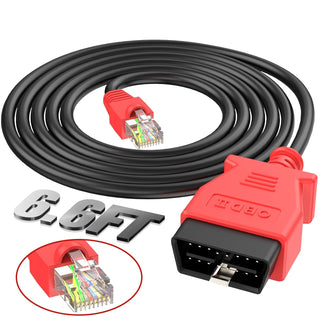
Connects your laptop’s ethernet port directly to your vehicle’s OBD-II port. This is the only cable you absolutely need.
Recommended cable on Amazon →What if that exact cable is unavailable?
Any OBD ENET cable will work. When shopping, look for these things:
- OBD-II to RJ45 (ethernet) — both ends matter
- For BMW, Land Rover, Jaguar — these are sometimes labeled “ENET coding cable” or “ICOM cable”
Search terms that work well: “OBD ENET cable Land Rover”, “OBD2 to ethernet cable BMW E-SYS”, or “ICOM coding cable RJ45”.
USB to ethernet adapter
If your laptop has no ethernet portMost modern laptops dropped the ethernet port. If yours did too, you’ll need an adapter to plug the OBD ENET cable into.
How do I know which one I need?
Look at your laptop’s USB ports:
- Rectangular port: USB-A — get the USB-A adapter
- Small oval port (reversible): USB-C — get the USB-C adapter
- Both: either works. USB-A adapters are usually cheaper.
Most adapters labeled “Gigabit USB Ethernet” will work — you don’t need anything fancy. TP-Link is solid but generic adapters from $10–20 are fine.
Laptop requirements
Pretty much any laptop made in the last 10 years will work. Specifically:
- Windows 10+ or macOS (Monterey+) — both are supported.
- Internet connection — you’ll be online while flashing.
- One free USB or ethernet port — for the OBD ENET cable.
- Battery life or a power outlet nearby — flashes take ~2 minutes, but don’t let your laptop die mid-process.
Process
Once you have your equipment, the activation itself takes about two minutes.
-
1
Connect the OBD ENET cable to your vehicle
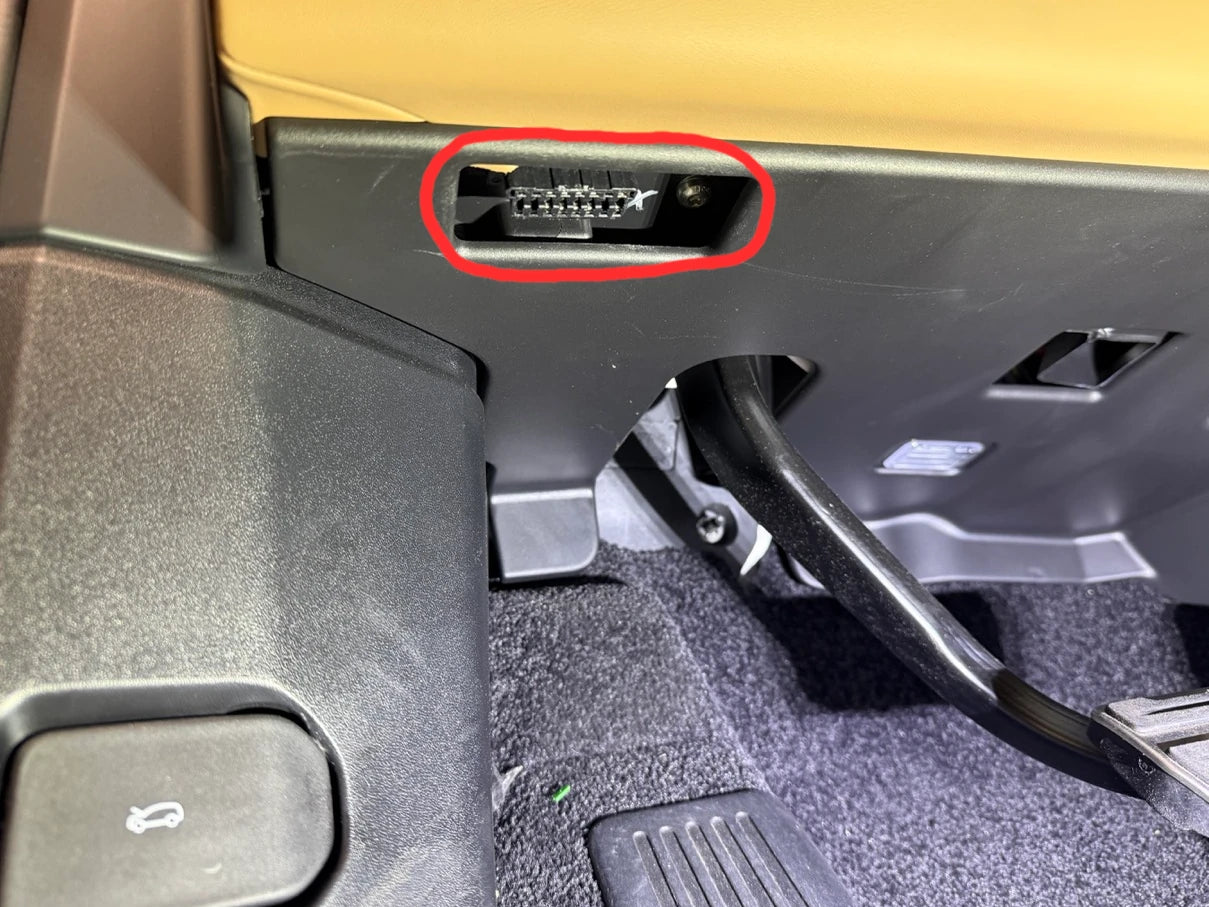
Plug the OBD-II end into the port in your driver-side footwell, then plug the ethernet end into your laptop (using your USB adapter if needed).
-
2
Turn ignition ON, engine not running
Press the start button once with your foot off the brake. The dashboard lights up but the engine doesn’t start. Keep the windows up. Doors can be open. The key fob just needs to be inside the vehicle.
-
3
Connect with the software, select your config, click Flash
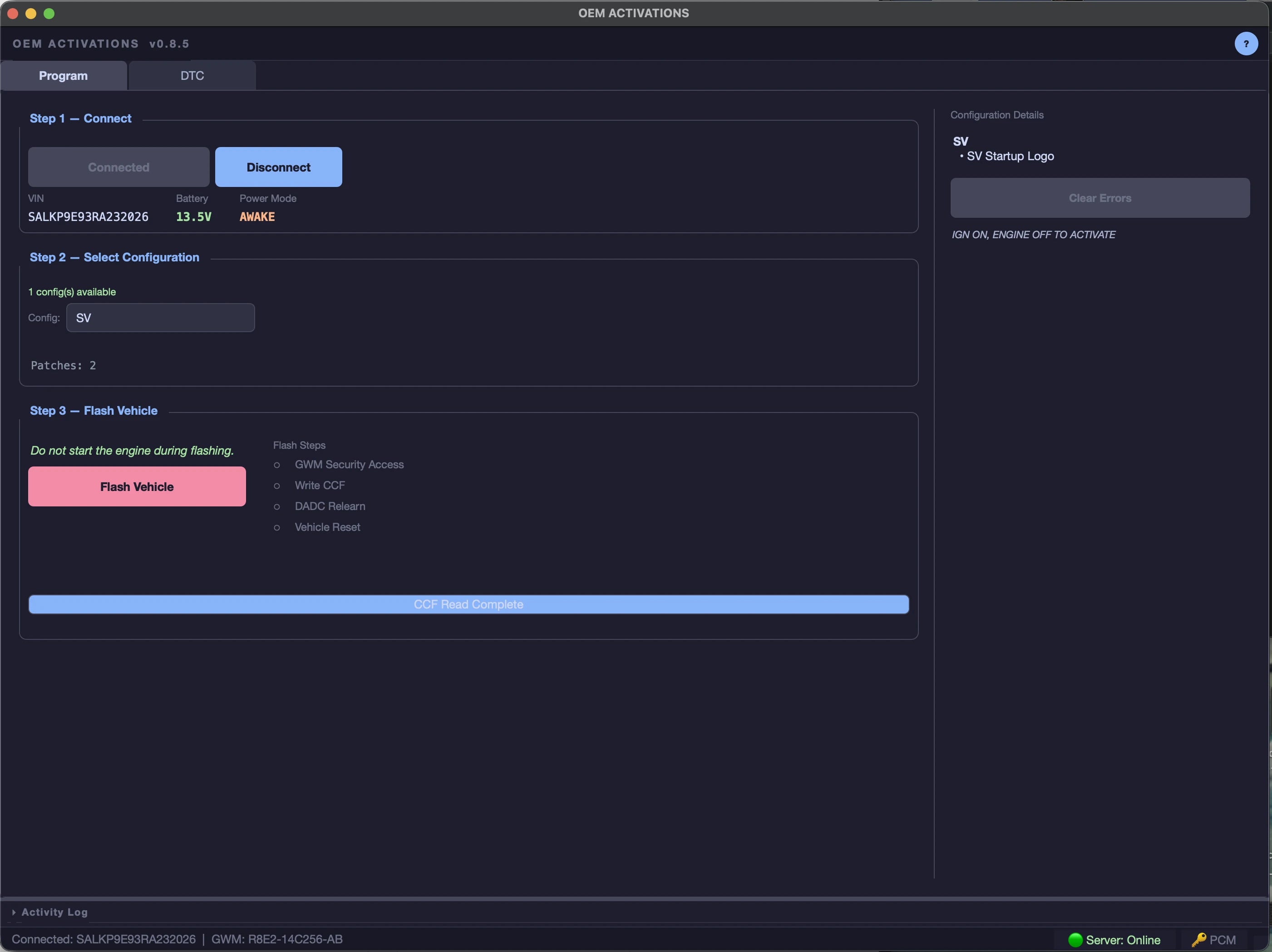
Open the app, verify your features show on the right side, then click Flash. About two minutes later, you’re done.